

Description
Download Fireplace live HD free – free HD fireplace streaming app for Mac
Overview
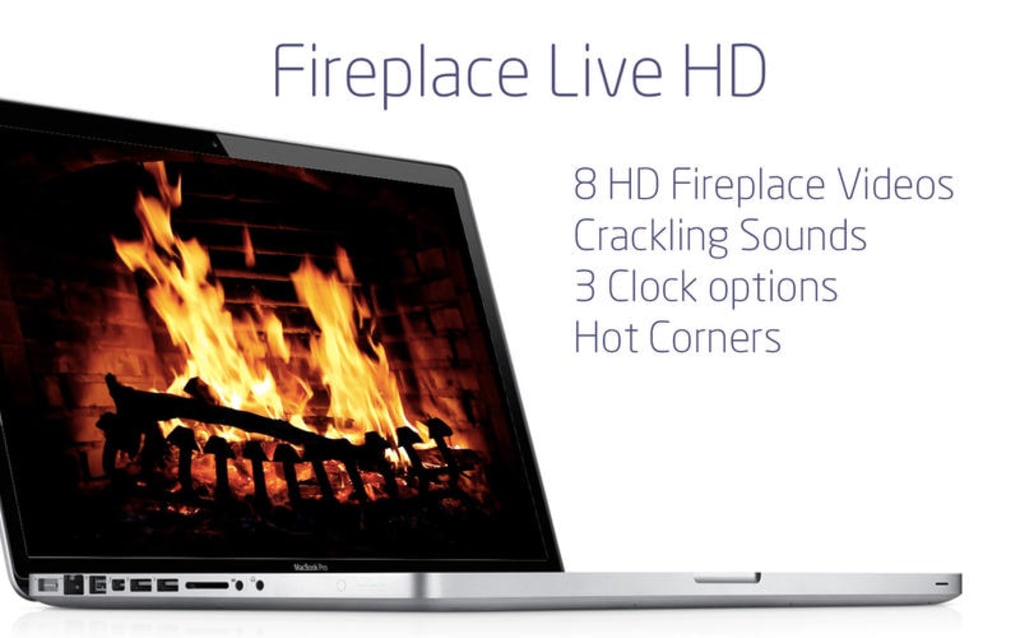
Fireplace live HD free is a lightweight, no‑cost entertainment app designed specifically for macOS users who want the cozy ambience of a real fireplace without the mess of wood or the need for a physical mantle. Developed by Voros Innovation & Business Services Pty Ltd, this program streams high‑definition fireplace videos 24/7, offering a soothing visual backdrop for work, relaxation, or family gatherings. The interface is intentionally simple: a single‑click start button, volume control, and a few optional timers. Because the software is free, there are no hidden subscription fees, and the streaming content is delivered over a secure HTTPS connection, ensuring a safe and private viewing experience. Whether you’re setting the mood for a dinner party, looking for a calming background while you code, or simply enjoy the crackle of a virtual fire, Fireplace live HD free provides a reliable, high‑quality solution that runs smoothly on modern Macs.
Key Features
- Ultra‑HD streaming: Access 1080p and 4K fireplace videos with crisp detail and realistic flame motion.
- Multiple fireplace styles: Choose from classic log fires, modern gas flames, and seasonal themed hearths.
- Background mode: Run the app silently in the background while you work on other applications.
- Timer & auto‑shutdown: Set a custom timer (15 min to 4 hours) for automatic stop, conserving energy.
- Sound control: Separate volume sliders for fire crackle, ambient music, or mute the audio entirely.
- Secure HTTPS streaming: All video feeds are encrypted, protecting your privacy and preventing unwanted data collection.
- Free updates: Automatic, one‑click updates keep the app compatible with the latest macOS releases.
- Low system impact: Optimized for macOS, the app uses less than 5 % CPU and under 50 MB RAM while streaming.
Installation, Setup & Daily Usage
Step‑by‑step installation
- Visit the official Voros Innovation website or a trusted Mac software repository.
- Click the “Download Fireplace live HD free for Mac” button – the file will be a .dmg package.
- Open the .dmg file and drag the Fireplace live HD icon into your Applications folder.
- Launch the app for the first time. macOS may display a security warning; choose “Open” to allow the app to run.
Initial configuration
Upon first launch, the app presents a brief welcome screen that lets you select your preferred default fireplace style and audio setting. You can also enable the “Start at login” option, which adds Fireplace live HD to your startup items so the fire is ready whenever you power on your Mac.
Everyday usage tips
Using the app day‑to‑day is intentionally frictionless. The main window displays a large “Play” button; a single click begins streaming the selected fireplace video. Below the video, you’ll find sliders for flame volume and optional background music (e.g., soft jazz or nature sounds). If you need a quick pause, the “Pause” button appears in the same spot. For those who prefer the fire to turn off automatically, set the timer using the dropdown menu—choose any interval from 15 minutes up to 4 hours, and the app will gracefully fade out the video and sound. The “Full‑screen” toggle provides an immersive experience on larger monitors or external displays.
Should you encounter any streaming hiccups (rare, but possible on slower networks), the “Refresh Stream” button forces the app to reconnect to the server. All settings are saved automatically, so you never need to re‑configure your preferences after an update or a system reboot.
Compatibility, Pros & Cons
Supported macOS versions: macOS 10.13 High Sierra and later, including Ventura, Sonoma, and upcoming releases. The app runs natively on both Intel‑based Macs and Apple Silicon (M1, M2, and later) thanks to universal binary packaging.
Pros
- Completely free with no hidden fees or in‑app purchases.
- High‑definition, seamless streaming that mimics a real fireplace.
- Low resource consumption, making it suitable for older MacBooks.
- Secure HTTPS connections protect user privacy.
- Simple, intuitive UI that requires virtually no learning curve.
Cons
- Relies on an internet connection; offline mode is not available.
- Limited customization beyond the preset fireplace styles.
- No built‑in screensaver integration (requires manual activation).
Overall, Fireplace live HD free scores a solid 4.2 out of 5 for delivering a high‑quality, hassle‑free fireplace experience on macOS. The app’s free price point and low system impact outweigh its minor limitations.
Frequently Asked Questions
Is Fireplace live HD free truly free, or are there hidden costs?
The app is completely free to download and use. There are no subscription fees, in‑app purchases, or hidden charges. Updates are also provided at no cost.
Do I need a fast internet connection to stream the fireplace?
A stable broadband connection (minimum 3 Mbps) is recommended for smooth 1080p streaming. 4K streams may require 10 Mbps or higher for optimal performance.
Can I run Fireplace live HD free on a Mac with Apple Silicon?
Yes. The application is built as a universal binary, meaning it runs natively on both Intel‑based and Apple Silicon Macs without any performance penalty.
Is there an option to mute the fire sounds?
Absolutely. The volume slider for fire crackle can be set to zero, or you can click the mute icon to silence all audio while keeping the visual fire running.
How do I update the app when a new version is released?
The app checks for updates automatically at launch. When a new version is available, a discreet notification appears; clicking “Update” downloads and installs the latest build in seconds.
Conclusion & Call to Action
Fireplace live HD free fills a niche that many Mac users overlook: a simple, high‑definition, and completely free way to bring the comforting glow of a fireplace to any workspace or living room. Its low system footprint, secure streaming, and intuitive controls make it a standout choice among entertainment utilities for macOS. While it does require an internet connection and offers limited customization, these trade‑offs are minor compared with the value of a free, always‑on ambient backdrop.
Ready to add a warm, flickering centerpiece to your desktop? Download Fireplace live HD free now and start enjoying a cozy atmosphere instantly. The installation takes just a few clicks, and you’ll have a beautiful virtual fire lighting up your screen in seconds.
Guides & Tutorials for Fireplace live HD free
How to install Fireplace live HD free
- Click the Preview / Download button above.
- Once redirected, accept the terms and click Install.
- Wait for the Fireplace live HD free download to finish on your device.
How to use Fireplace live HD free
This software is primarily used for its core features described above. Open the app after installation to explore its capabilities.
User Reviews for Fireplace live HD free 0
No reviews found





.webp)